
CAAM & Regulations
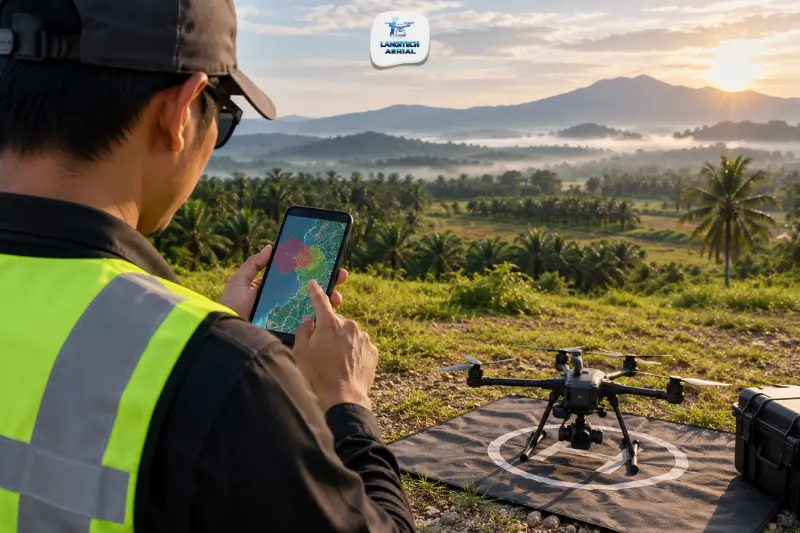
The CAAM DroneZone app is the first thing to open before a drone flight in Malaysia, because it shows whether your site sits in open, controlled, or restricted airspace. Many pilots skip it and rely on their DJI app instead, which is not the legal reference. This guide explains what the app does, when to check it, and what it cannot do for you, including issuing your flight permit. For the full list of no-fly zones and penalties, read our drone no fly zone Malaysia guide. This article stays on the app itself.
Key takeaways
- The CAAM DroneZone app and CAAM’s drone map are the official reference for airspace checks in Malaysia, ahead of DJI geofencing or other third-party apps.
- Check twice: when you plan the job, and again on the morning of the flight, because restricted zones get updated.
- An open result does not authorise a flight, so commercial flights still need an ATF submitted at least 14 working days ahead.
- Save a dated screenshot of every check with your job file.
What the CAAM DroneZone app does
CAAM, the Civil Aviation Authority of Malaysia, publishes a drone map and the DroneZone app. Both show restricted, controlled, and open zones across the country, including the boundaries around airports. Malaysian drone guides treat this as the official source, with third-party maps in second place.
That ranking matters in practice. DJI’s built-in geofencing is a helpful warning, but it is not legal clearance and may not reflect every Malaysian restriction. When DJI shows green and CAAM’s map shows a restricted area, follow CAAM.
When to check the CAAM DroneZone app
Check at three points.
First, check when you quote or plan the job. A site inside a controlled zone changes the permit timeline, so you want to know before you promise a date to a client.
Second, check again on the morning of the flight. Restricted zones do get updated, so a check from last week is not a check.
Third, check whenever you move to a new site mid-job. A launch point a few kilometres away can sit in a different zone.
How to use the CAAM DroneZone app before a flight
Install the official app. Use CAAM’s official channels. If you are unsure which listing is genuine, follow the link from caam.gov.my rather than picking a lookalike from search results.
Find your site. Search or pan the map to your launch point, then look at the whole area you plan to cover. Check the full flight area, not only the take-off spot.
Read the zone result. Note whether the launch point and the edges of your flight area are open, controlled, or restricted.
Check the airport distance. CAAM’s guidance requires air traffic control clearance within 4.5 km of an airport or heliport. Some guides round that to 5 km. Skip both numbers and use the boundary the app draws for that airport.
Record the result. Screenshot the map with the date and time visible, and save it with your job file. It documents the check and helps when you prepare your ATF application.
Menu names and screen layouts can change between app updates. For that reason, these steps describe what to do rather than which button to press.
Reading the result
The app sorts airspace into broad categories. Here is what each one means for your flight.
Open airspace. You can plan the flight, but commercial work still needs an ATF.
Controlled airspace or an airport zone. You need CAAM authorisation before flying, and air traffic control coordination near airports.
Restricted or prohibited areas. Do not fly without specific approval from the responsible authority.
CAAM defines the zone names and boundaries, so confirm the current category in the app. Our drone no fly zone Malaysia guide explains the zones in detail, including Kuala Lumpur and the penalties.
What the CAAM DroneZone app does not do
It does not authorise your flight. An open result tells you where you can apply to fly, not that you may fly. Commercial flights still need an ATF submitted to CAAM at least 14 working days ahead. Our drone permit Malaysia requirements guide walks through the process.
Registration is handled separately. CAAM has said that drone registration is expanding under its UAS Traffic Management System (UAS-TMS). Fines reach up to RM50,000, up to three years in jail, or both for failing to register. Airspace checking and registration are two different tasks. Our drone registration Malaysia guide covers where things stand.
Temporary bans may not appear. CAAM has restricted drone flights at short notice, for example around the Putra Heights gas pipeline fire in April 2025 and around National Day celebrations. Whether the app captures every such restriction is not guaranteed, so also check CAAM’s announcements before a flight.
Do not assume it is the permit app CAAM has described. CAAM has indicated that under UAS-TMS, operators will request permission through a mobile app and receive instant approval in unrestricted areas. Whether and how the DroneZone app connects to that system is something to confirm on caam.gov.my.
A practical routine for commercial jobs
For a commercial flight, the airspace check sits inside a longer sequence.
- Check the CAAM DroneZone app at the planning stage, before you confirm a date.
- Submit the ATF at least 14 working days ahead, and add the JUPEM aerial data permit for mapping jobs.
- Re-check the app on the morning of the flight, then save the dated screenshot.
- Carry the approvals on site during the operation.
Frequently asked questions
Is the CAAM DroneZone app the same as the DJI no-fly map?
No. The DJI map is a manufacturer feature and may not reflect every Malaysian restriction. The CAAM DroneZone app comes from the regulator and is the reference to follow when the two disagree.
Does an open result on the CAAM DroneZone app mean I can fly?
No. It tells you the airspace category, not whether your flight is approved. Commercial flights still need an ATF, and the application takes at least 14 working days.
How often should I check the CAAM DroneZone app?
Check when you plan the job and again on the morning of the flight. Zones get updated, so an older check can be out of date. Also check again if you change your launch point.
Conclusion
The CAAM DroneZone app answers one question well: what kind of airspace is my site in? It does not issue permits, handle registration, or replace a look at CAAM’s latest announcements. Used at the planning stage and again on the morning of the flight, with a dated screenshot saved each time, it keeps your airspace checks documented and defensible.
LangiTech Aerial handles airspace verification, ATF applications, and JUPEM permits for every commercial job, so clients receive a compliant flight plan without chasing approvals themselves.
Contact LangiTech Aerial to discuss your project and get a quote.
Need Help Planning a Compliant Drone Project in Malaysia?
Speak with our team about commercial drone operations, compliance requirements, and the right aerial solution for your project.